
Build a Living Zettelkasten with Obsidian or Notion

Today we will build a Zettelkasten workflow using Obsidian or Notion, turning scattered notes into a living network of ideas. You will move from quick capture to permanent insight, linking concepts so they surprise you later. Expect practical templates, tool comparisons, and gentle nudges to write, reflect, and publish regularly. Share your experiments, ask questions, and subscribe for deeper walkthroughs as your note system starts producing original thinking on demand.

Why Connected Notes Outperform Isolated Highlights

Atomic Notes, Clear Context

Each note should contain one idea, explained in your own words, and connected to at least one related idea. Writing briefly, yet clearly, encourages precision and reduces duplication. Over time, these atoms combine into unexpected molecules of thought. When a note stands on its own, it survives tool changes, sync hiccups, and mood swings, keeping your thinking portable and resilient.

From Fleeting to Permanent

Capture raw sparks as fleeting notes, transform reading highlights into literature notes, then distill lasting insights into permanent notes. This staircase respects your brain’s rhythm: curiosity first, reflection second, synthesis last. Obsidian’s quick capture commands and Notion’s templates make these steps lightweight. The secret is daily consistency and linking each refined note to at least two neighbors for future discovery.

Anecdote: The Thursday Surprise

An engineer once told me Thursday mornings felt magical. He would open his note graph or database, follow three links, and stumble onto an overlooked idea chain. That chain became a talk, then a product feature. He credited this rhythm to writing short permanent notes, not storing screenshots. By linking generously, he created a little idea machine that loved surprises.

Setting Up Obsidian for Frictionless Thinking

Obsidian favors speed, local ownership, and Markdown freedom. A tidy vault with sensible folders or tag-only organization, reliable templates, and consistent IDs lays the foundation. Backlinks and the graph view encourage exploratory browsing, while community plugins automate repetitive steps. You can work entirely offline, sync with services you trust, and version everything with Git. Keep structure light, names clear, and linking habitual, not ceremonial.

Configuring Notion as a Networked Thinking Hub
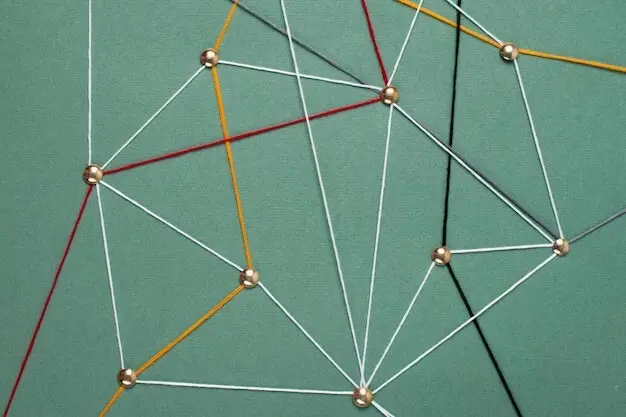
Notion excels when you want structured databases, templates with properties, and multiple views over the same knowledge. Relational links and rollups simulate backlinks effectively. With a thoughtful schema, you can move from capture to synthesis without getting lost in pages. Use linked views for review routines, and create dashboards that highlight emerging clusters. Keep properties meaningful, names consistent, and templates delightful to use daily.

Fast Capture Anywhere

Keep a single trusted inbox for everything—meetings, podcasts, passing thoughts. In Obsidian, a QuickAdd capture to Inbox with timestamped titles works wonders. In Notion, a lightweight form or button-fed template collects ideas without property overload. The objective is speed, not beauty. You can refine later. Respect sparks by catching them quickly, then schedule deliberate synthesis when the mind is calmer.

From Highlights to Understanding

When reading, write literature notes that paraphrase key points, cite sources, and question assumptions. Avoid copy-paste bloat by compressing meaning into your words. Later, extract the essence as a permanent claim, supported by linked context. This two-step pass ensures you understand, not merely save. The practice feels slow initially, then becomes exhilarating as links suggest original angles and unexpected arguments.

Linking, Structure Notes, and Maps of Content

After every link, add a succinct rationale. For example: connects due to contrasting definitions, or because it provides empirical counterevidence. These micro-annotations serve future you, clarifying intent and speeding recall. They also reduce vague links that feel exciting today but confusing later. Over months, link reasons read like marginalia, revealing how your thinking sharpened through deliberate, transparent connections.
Create one guiding page per enduring question or domain. Curate the best permanent notes, group them into arguments, and highlight productive tensions. In Obsidian, embed key excerpts to create living outlines. In Notion, assemble filtered views and pinned notes. Structure notes remain light yet opinionated, inviting revision as evidence accumulates. They become reliable springboards for talks, articles, and product decisions.
Tags are helpful until they multiply. Use a few stable, action-oriented tags and reserve nuance for links and structure notes. Replace generic tags with curated hubs that tell a story. In practice, fewer, better entry points outperform sprawling taxonomies. Your future self will thank you when a single hub page gently leads from curiosity to a concrete outline, ready to become published work.

From Notes to Published Work: Retrieval and Drafting

A Zettelkasten shines when it feeds writing. Queries, filters, and resurfacing routines expose promising clusters. Move from idea constellation to outline, then stitch quotes and claims into a draft. Track progress with a simple pipeline and celebrate small completions. The system rewards showing up, not heroic sprints. Invite readers to request walkthroughs, and we will annotate a full writing session, step by step.

Sync, Backup, and Long-Term Resilience

Reliable Sync Without Surprises

Obsidian supports local-first storage with optional Obsidian Sync, iCloud Drive, Dropbox, or Git-based workflows. Notion provides seamless cloud sync with offline improvements still evolving. Pick one setup and write it down. Periodically verify that changed files propagate across devices. Consistency matters more than elegance. Stable sync removes doubt, letting you focus on the relationships between ideas rather than plumbing.

Versioning, Exports, and Portability

Obsidian supports local-first storage with optional Obsidian Sync, iCloud Drive, Dropbox, or Git-based workflows. Notion provides seamless cloud sync with offline improvements still evolving. Pick one setup and write it down. Periodically verify that changed files propagate across devices. Consistency matters more than elegance. Stable sync removes doubt, letting you focus on the relationships between ideas rather than plumbing.

Privacy, Security, and Trust

Obsidian supports local-first storage with optional Obsidian Sync, iCloud Drive, Dropbox, or Git-based workflows. Notion provides seamless cloud sync with offline improvements still evolving. Pick one setup and write it down. Periodically verify that changed files propagate across devices. Consistency matters more than elegance. Stable sync removes doubt, letting you focus on the relationships between ideas rather than plumbing.

Farizoripentomira
Privacy Overview

This website uses cookies so that we can provide you with the best user experience possible. Cookie information is stored in your browser and performs functions such as recognising you when you return to our website and helping our team to understand which sections of the website you find most interesting and useful.